About
Batch Performance Analytics is a key application used for monitoring and optimizing batch production processes in various industries, including pharmaceuticals, food & beverage, and chemicals. It helps industries ensure batch consistency, improve production efficiency, and meet regulatory compliance.
My task
I led the redesign of the application's UI interface, overhauling the information architecture and navigation to enhance usability. My focus was on modernizing the interface and ensuring seamless integration with the new backend system.
Team
Collaborated with a team of 30+ professionals, including developers, UX designers, and project managers.
Timeline
Nov 2022 – October 2023
Role
UX/UI Design
Challenge
Challenge
For convenience, I’ve recorded a video with an explanation of the project's challenge.
For convenience, I’ve recorded a video with an explanation of the project's challenge.
0:00
0:00
0:00
0:00
Key Challenge
To transform the Batch Performance Analytics application into a modern, user-friendly tool by simplifying complex workflows and enhancing the visual interface, while ensuring seamless integration with the new backend technology.
Key Challenge
To transform the Batch Performance Analytics application into a modern, user-friendly tool by simplifying complex workflows and enhancing the visual interface, while ensuring seamless integration with the new backend technology.
Key Challenge
For convenience, I’ve recorded a video with an explanation of the project's challenge.
0:00
0:00
0:00
0:00
To transform the Batch Performance Analytics application into a modern, user-friendly tool by simplifying complex workflows and enhancing the visual interface, while ensuring seamless integration with the new backend technology.
Key Challenge
Challenge
Process
For convenience, I’ve recorded a video with an explanation of the project's process phase.
0:00
0:00
0:00
0:00
Key Points
Highlights of the key phases in the design process.
Discovery and Inquiry Phase
Explored objectives, identified stakeholders, and understood project scope.
Requirements Analysis
Reviewed documents, consolidated information in Figma.
Themes and Epics
Defined 4 themes, each with up to 4 epics. Connected personas and outlined key tasks.
User Stories
Added notes, included previous designs.
User Flow Analysis
Analyzed and documented user flows, acceptance criteria, and pre-conditions.
For convenience, I’ve recorded a video with an explanation of Key Persona.
0:00
0:00
0:00
0:00
I need a tool to aggregate and contextualize data.
I need a tool to aggregate and contextualize data.

Alex Morgan
Process Development Engineer
34
San Francisco
Master's degree in Chemical Engineering
Process Development Engineer
Description
Alex's career in the Life Sciences industry focuses on optimizing engineering and process development for efficiency, compliance, and scalability. He collaborates with production teams and management to meet industry standards and regulatory requirements. His expertise includes designing processes that achieve production targets, reducing variability, improving quality, and minimizing cycle times.
Goals
Improve manufacturing effectiveness.
Optimize throughput and cycle times.
Achieve consistent batch quality.
Pain Points
Lack of defined Golden Batch settings causing inconsistent quality.
Complex formulations and supply chains leading to variability.
Siloed systems making it difficult to improve manufacturing effectiveness.
Manual batch analysis is resource-intensive and time-consuming.
I rely on BPA to monitor batch progress with real-time insights.
I rely on BPA to monitor batch progress with real-time insights.

Jamie Taylor
Manufacturing Operations Specialist
42
Chicago
Bachelor's degree in Industrial Engineering
Process Development Engineer
Description
Jamie's career in the Consumer Packaged Goods (CPG) industry revolves around optimizing manufacturing operations for efficiency and quality. She collaborates with operators and management to streamline processes, reduce variability, and ensure consistent batch production. Her expertise includes real-time monitoring, improving asset utilization, and minimizing manufacturing costs.
Goals
Streamline processes to reduce variability and ensure consistent batches.
Implement real-time monitoring to achieve Golden Batch.
Improve asset utilization and reduce manufacturing costs.
Pain Points
Variability due to manual operation of complex processes.
Increased costs from rework and lack of raw material analysis.
High risk of microbial contamination and lack of real-time monitoring.
Difficulty collaborating with operators due to separate interfaces for engineering and operations, leading to miscommunication.
Alex's Journey Map Insights
At this stage, the product team decided to focus on two key pain points:
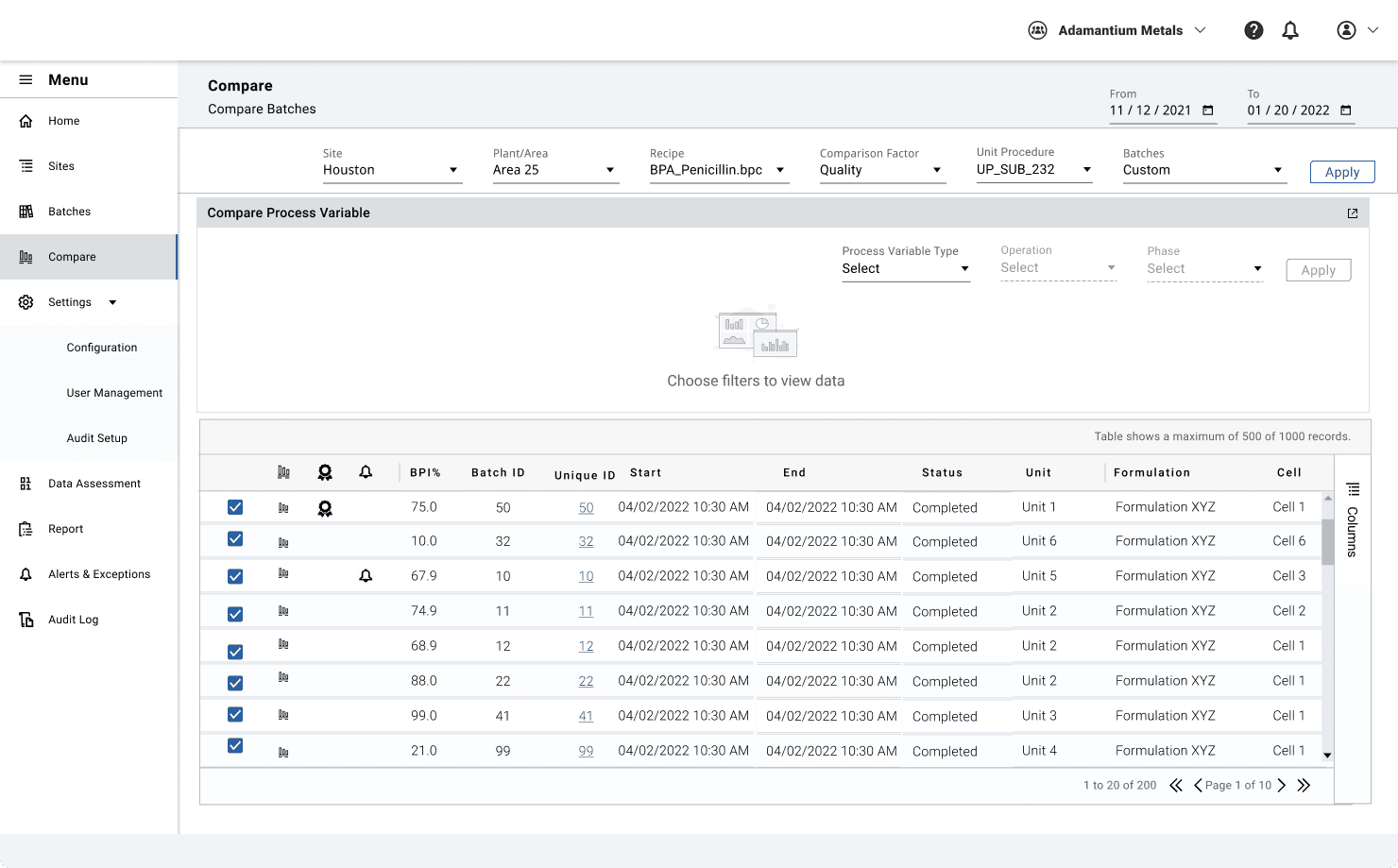
1- Designing a side-by-side comparison view.
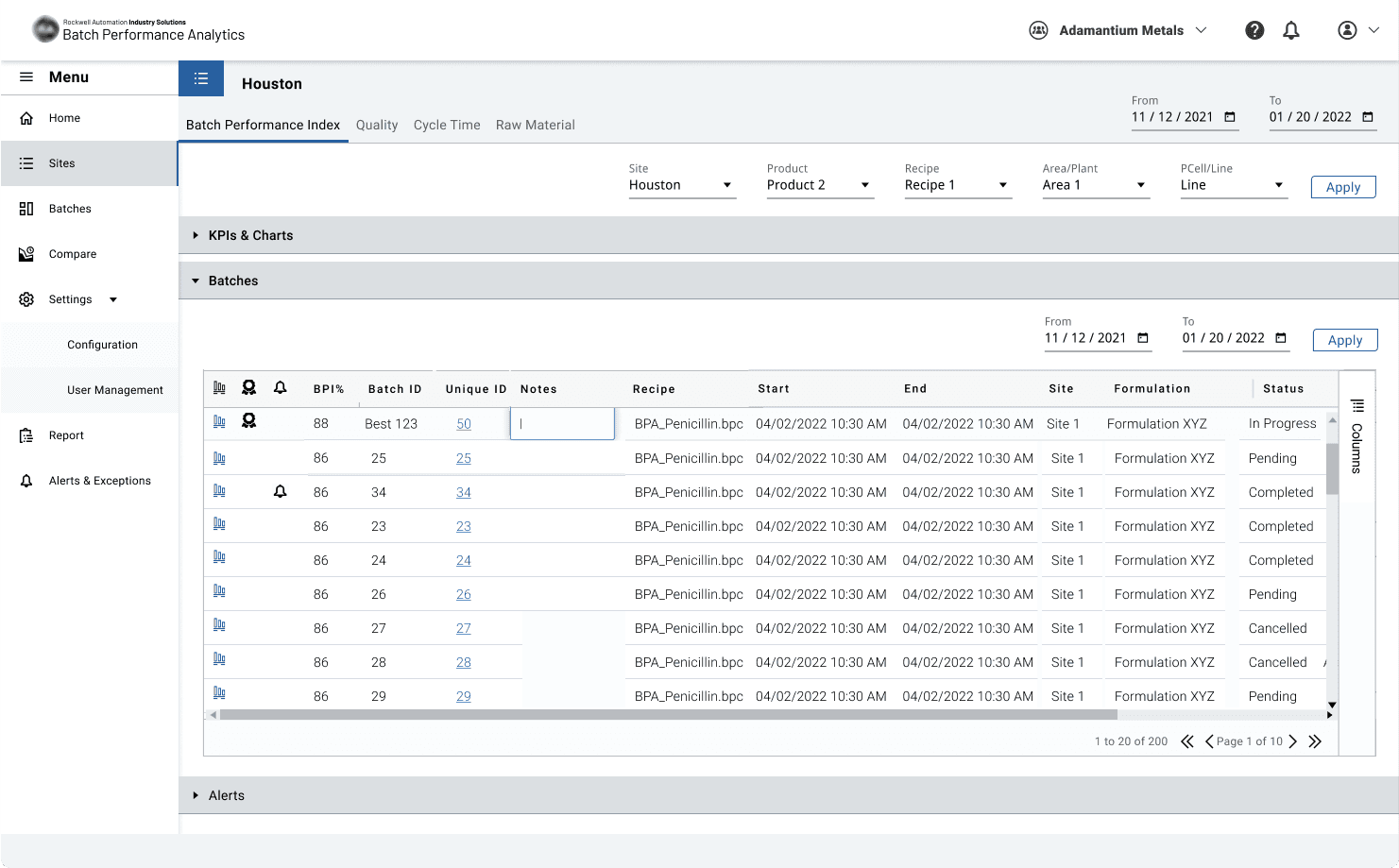
2- An overview of all manufacturing sites with the latest batch status. (Home Map Page)
These decisions were made in alignment with business goals during design meetings involving technical teams and stakeholders.
Alex's Journey Map Insights
At this stage, the product team decided to focus on two key pain points:
1- Designing a side-by-side comparison view.
2- An overview of all manufacturing sites with the latest batch status. (Home Map Page)
These decisions were made in alignment with business goals during design meetings involving technical teams and stakeholders.
For convenience, I’ve recorded a video with an explanation of User Journey Map.
0:00
0:00
0:00
0:00
Process
For convenience, I’ve recorded a video with an explanation of the project's process phase.
0:00
0:00
Key Points
Highlights of the key phases in the design process.
Discovery and Inquiry Phase
Explored objectives, identified stakeholders, and understood project scope.
Requirements Analysis
Reviewed documents, consolidated information in Figma.
Themes and Epics
Defined 4 themes, each with up to 4 epics. Connected personas and outlined key tasks.
User Stories
Added notes, included previous designs.
User Flow Analysis
Analyzed and documented user flows, acceptance criteria, and pre-conditions.
For convenience, I’ve recorded a video with an explanation of Key Persona.
0:00
0:00
I need a tool to aggregate and contextualize data.
Alex Morgan
Process Development Engineer
34
San Francisco
Master's degree in Chemical Engineering
Process Development Engineer
Description
Alex's career in the Life Sciences industry focuses on optimizing engineering and process development for efficiency, compliance, and scalability. He collaborates with production teams and management to meet industry standards and regulatory requirements. His expertise includes designing processes that achieve production targets, reducing variability, improving quality, and minimizing cycle times.
Goals
Improve manufacturing effectiveness.
Optimize throughput and cycle times.
Achieve consistent batch quality.
Pain Points
Lack of defined Golden Batch settings causing inconsistent quality.
Complex formulations and supply chains leading to variability.
Siloed systems making it difficult to improve manufacturing effectiveness.
Manual batch analysis is resource-intensive and time-consuming.
I rely on BPA to monitor batch progress with real-time insights.
Jamie Taylor
Manufacturing Operations Specialist
42
Chicago
Bachelor's degree in Industrial Engineering
Manufacturing Operations Specialist
Description
Jamie's career in the Consumer Packaged Goods (CPG) industry revolves around optimizing manufacturing operations for efficiency and quality. She collaborates with operators and management to streamline processes, reduce variability, and ensure consistent batch production. Her expertise includes real-time monitoring, improving asset utilization, and minimizing manufacturing costs.
Goals
Streamline processes to reduce variability and ensure consistent batches.
Implement real-time monitoring to achieve Golden Batch.
Improve asset utilization and reduce manufacturing costs.
Pain Points
Variability due to manual operation of complex processes.
Increased costs from rework and lack of raw material analysis.
High risk of microbial contamination and lack of real-time monitoring.
Difficulty collaborating with operators due to separate interfaces for engineering and operations, leading to miscommunication.
Alex's Journey Map Insights
At this stage, the product team decided to focus on two key pain points:
1- Designing a side-by-side comparison view.
2- An overview of all manufacturing sites with the latest batch status. (Home Map Page)
These decisions were made in alignment with business goals during design meetings involving technical teams and stakeholders.
For convenience, I’ve recorded a video with an explanation of User Journey Map.
0:00
0:00
Process
Design
Crafting the Solution
Crafting the Solution
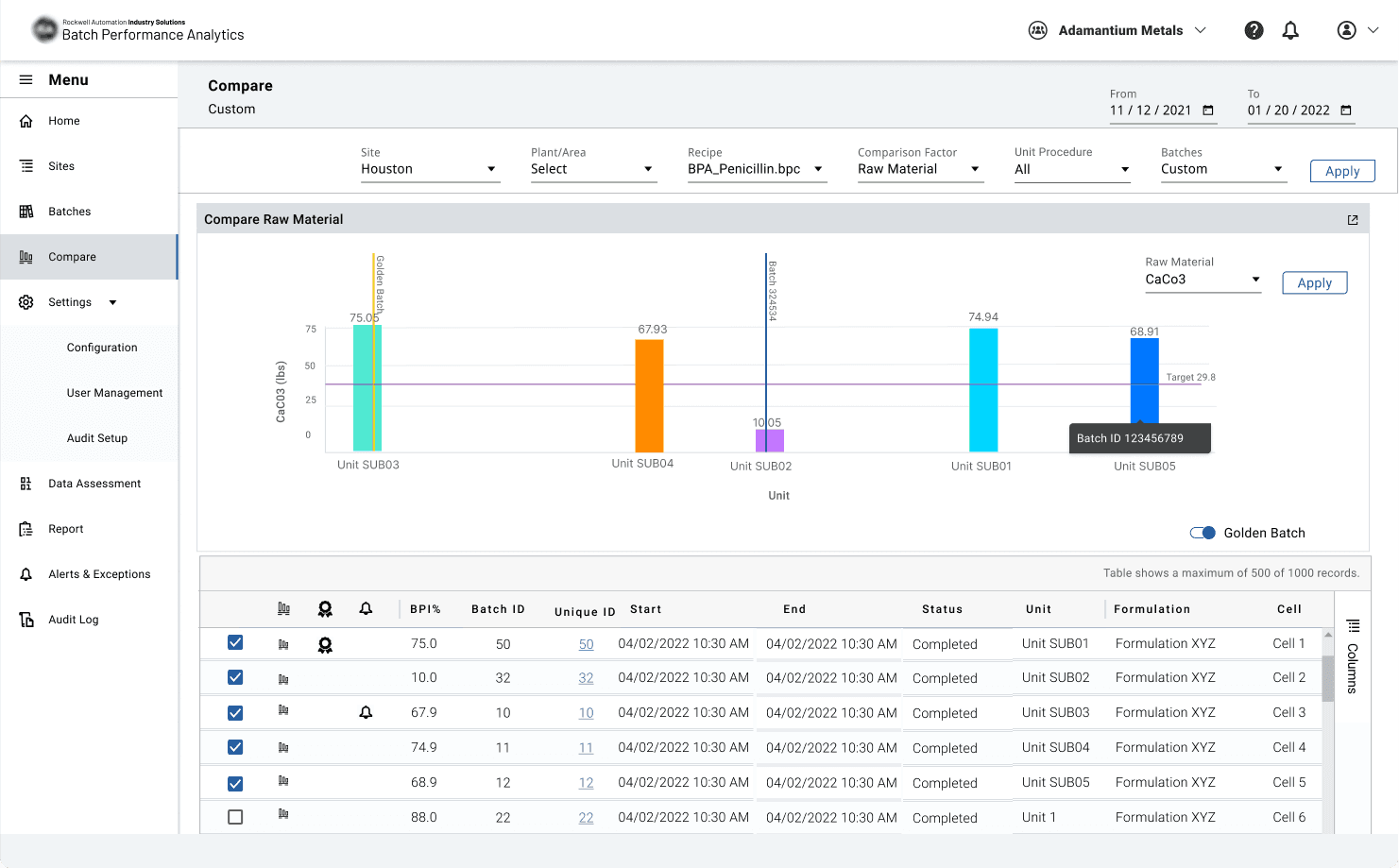
During the design phase of the Batch Performance Analysis application, I analyzed existing user interviews in Dovetail to identify two critical user needs and one interface inconsistency for easy access to each part:
An enterprise dashboard for monitoring batches, KPIs, and alarms. (Home Map Page)
More intuitive navigation system.
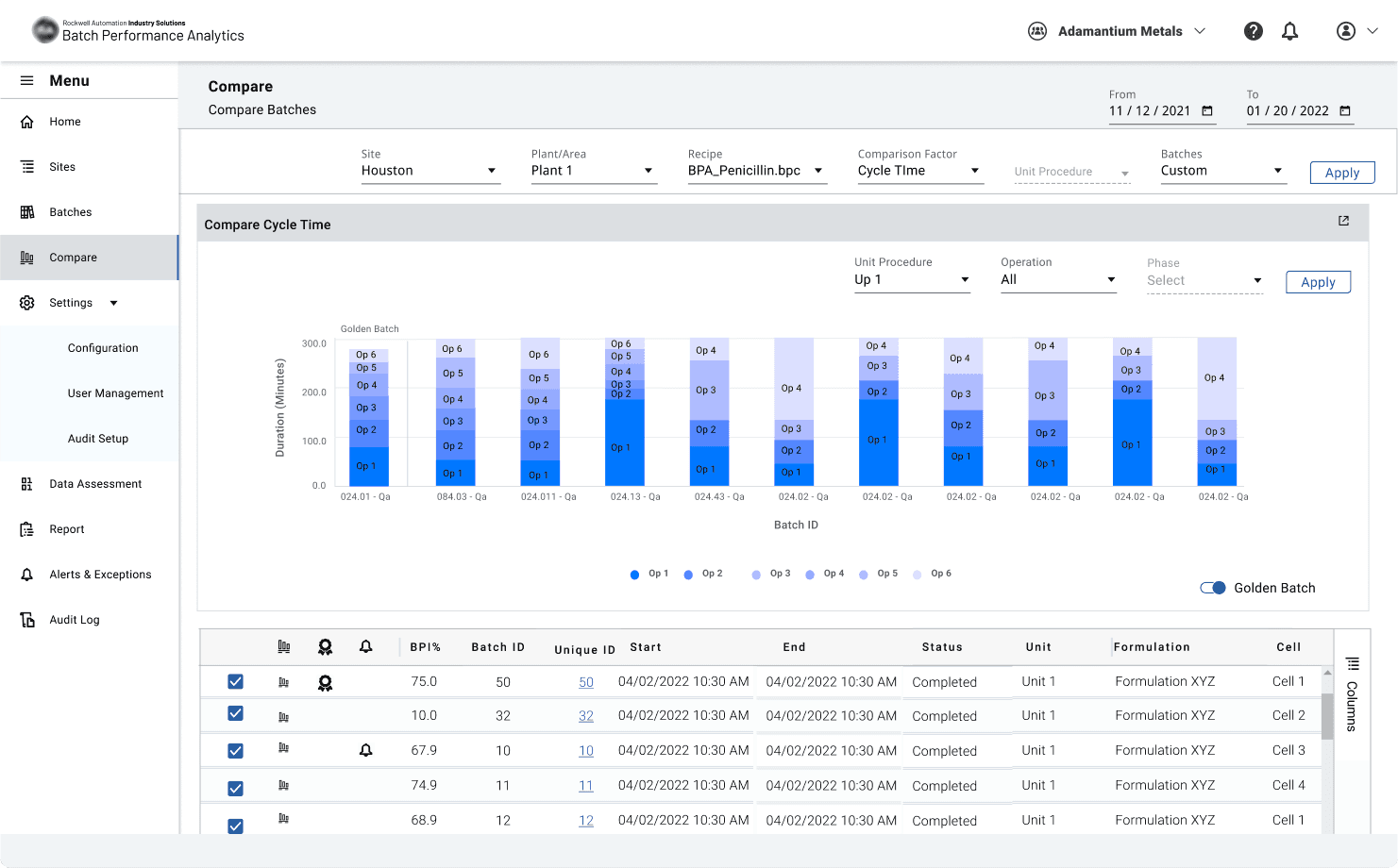
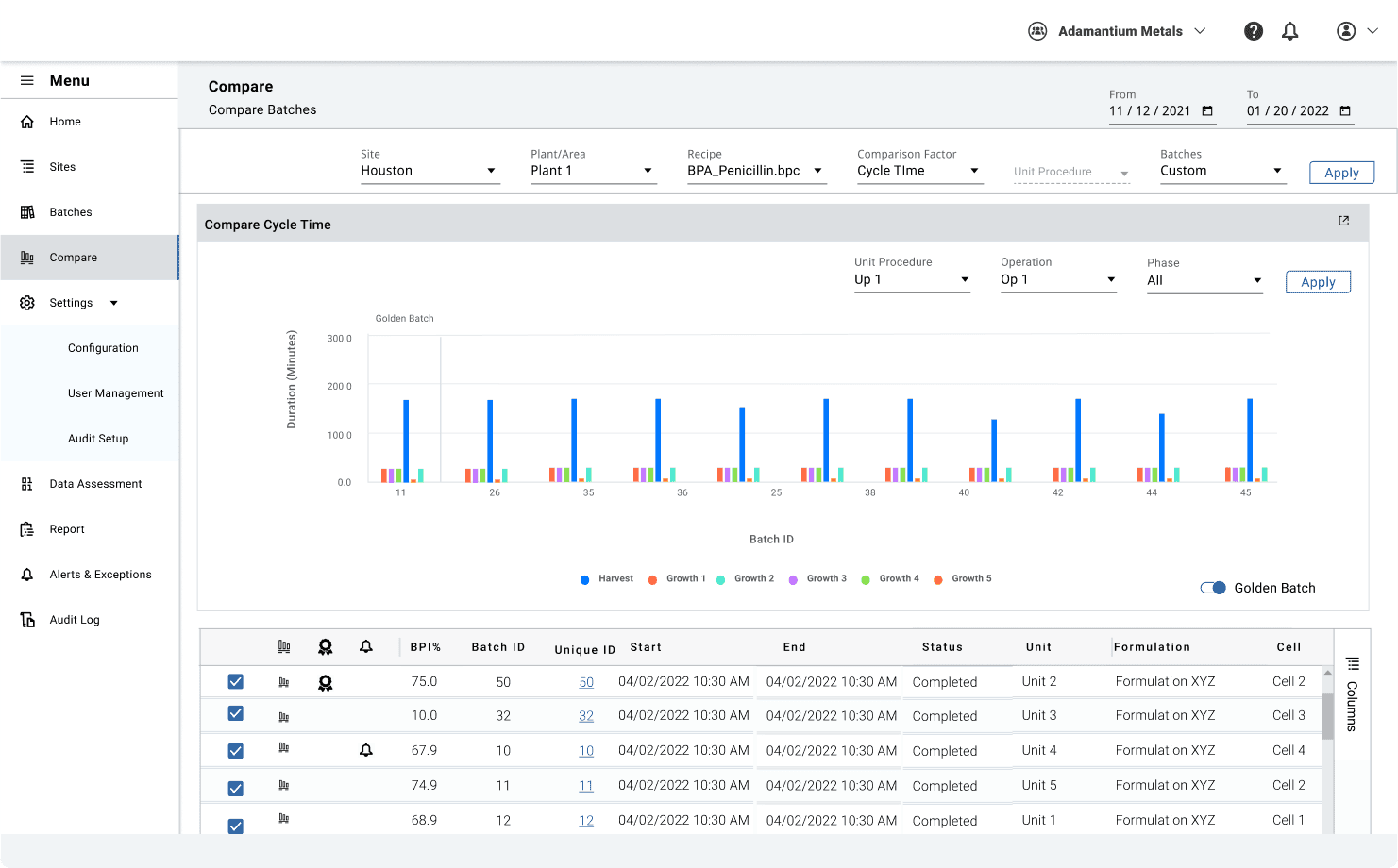
Designing a comparison view.
During the design phase of the Batch Performance Analysis application, I analyzed existing user interviews in Dovetail to identify two critical user needs and one interface inconsistency for easy access to each part:
An enterprise dashboard for monitoring batches, KPIs, and alarms. (Home Map Page)
More intuitive navigation system.
Designing a comparison view.
Using these insights, I developed a comprehensive information architecture that addressed all requirements while simplifying user workflows. I presented my designs in collaborative team workshops with the Rockwell team, where we refined the solutions together to ensure alignment with both business objectives and user needs.
Using these insights, I developed a comprehensive information architecture that addressed all requirements while simplifying user workflows. I presented my designs in collaborative team workshops with the Rockwell team, where we refined the solutions together to ensure alignment with both business objectives and user needs.
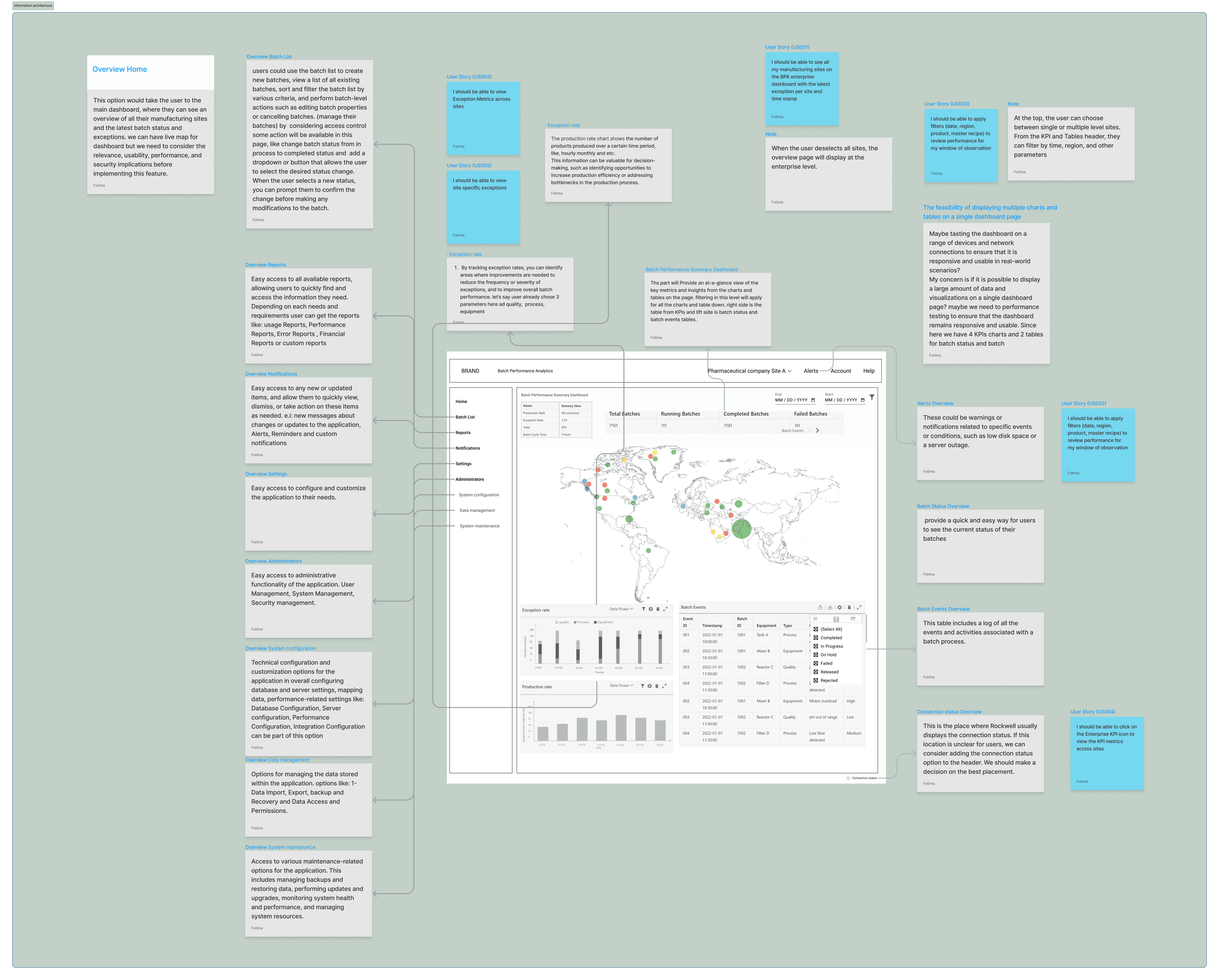
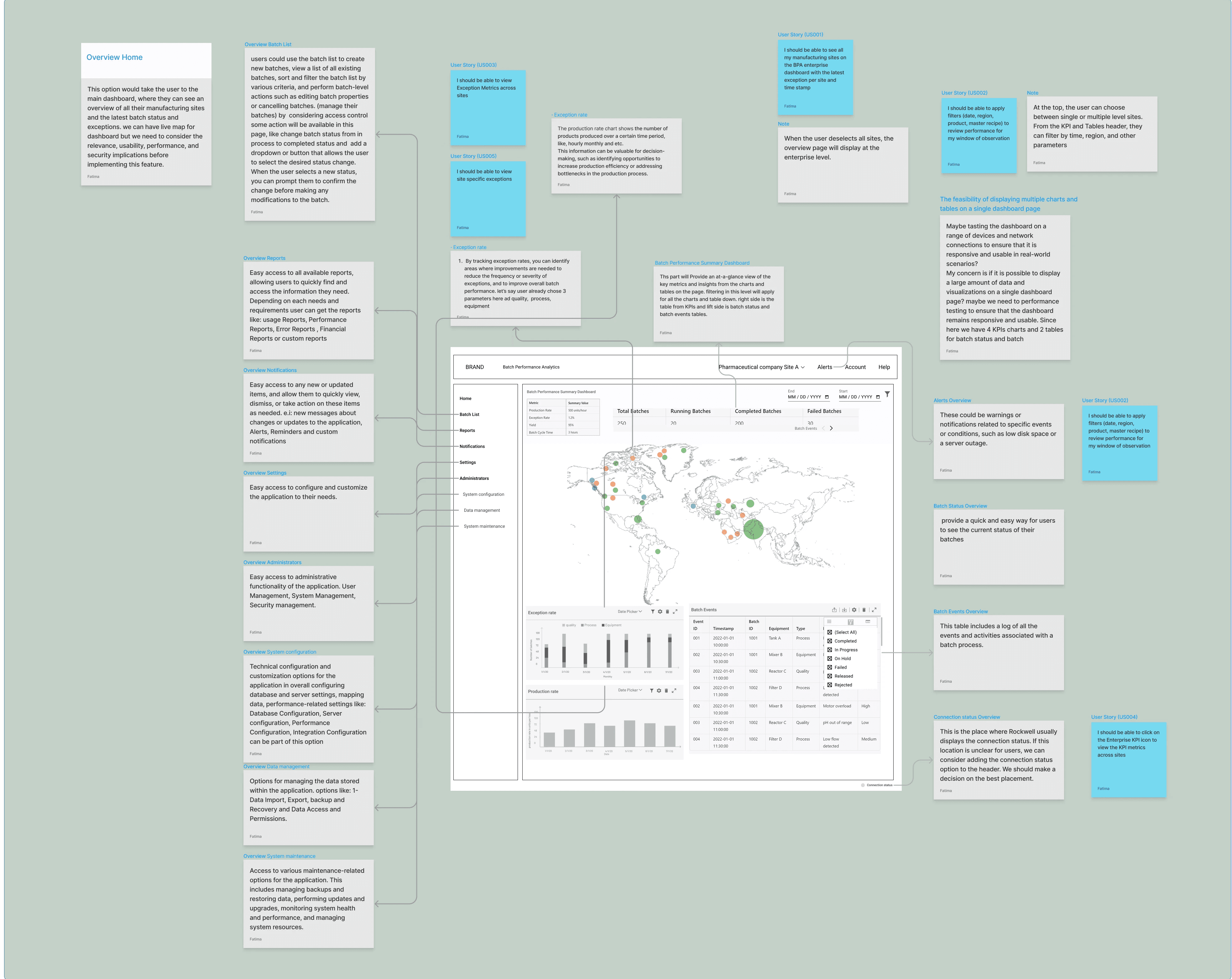
The new design for BPA underwent extensive testing and feedback from different business areas. Here are key takeaways from one test that focused on the usability of the home page and navigation.
The primary goal was to understand how users can access all the menus and navigate to the direct sections and pages.
Since we have two levels of navigation, one for the application and a second layer for site access, I created a prototype in Figma, which three participants used to achieve the following testing goals:
The new design for BPA underwent extensive testing and feedback from different business areas. Here are key takeaways from one test that focused on the usability of the home page and navigation.
The primary goal was to understand how users can access all the menus and navigate to the direct sections and pages.
Since we have two levels of navigation, one for the application and a second layer for site access, I created a prototype in Figma, which three participants used to achieve the following testing goals:
Testing Design
Testing Design
1
1
Test whether users can easily access the new navigation menu and navbar.
2
2
Identify any existing ‘stuck’ points
3
3
Evaluate the overall user experience and ease of accessing various sections of the app.
4
4
Measure user’s ability to navigation menu like ‘comparison’ and ‘event and alarms’
These tests helped us refine the design and ensure it meets user needs effectively.
These tests helped us refine the design and ensure it meets user needs effectively.
UI Design Guidelines
UI Design Guidelines
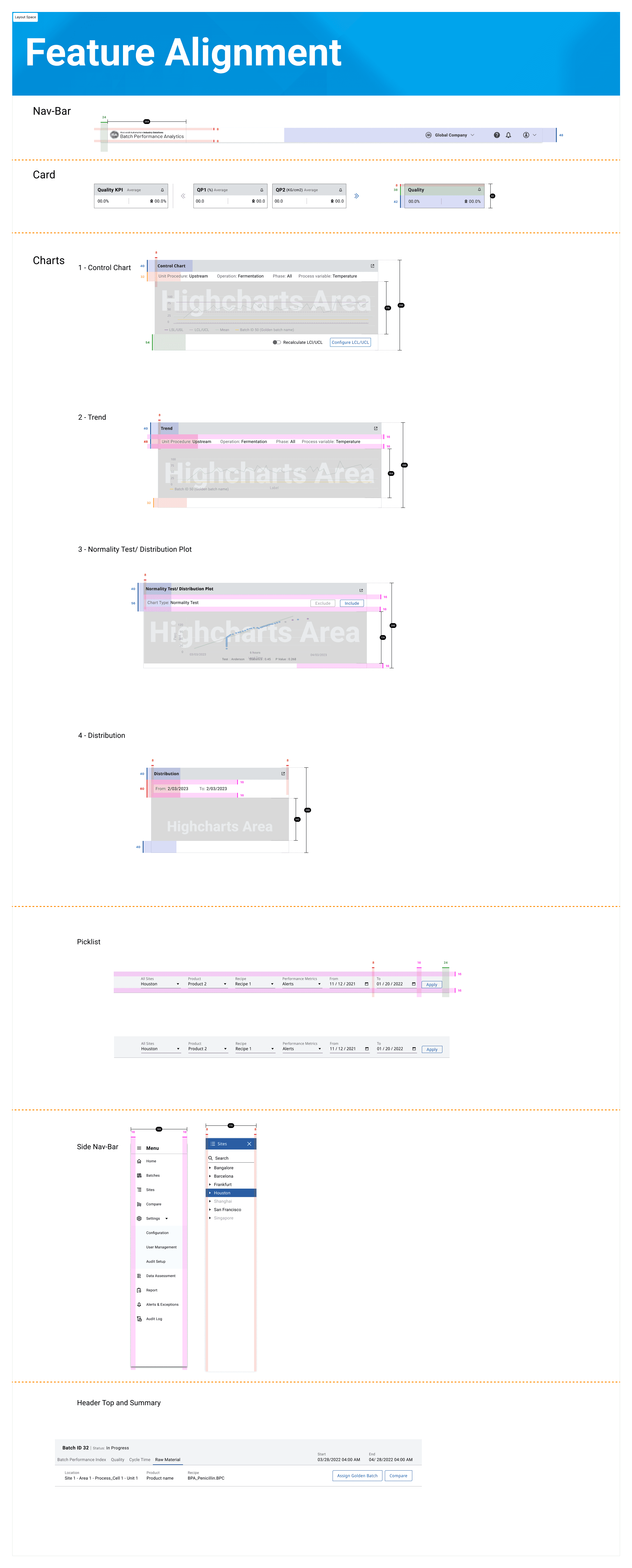
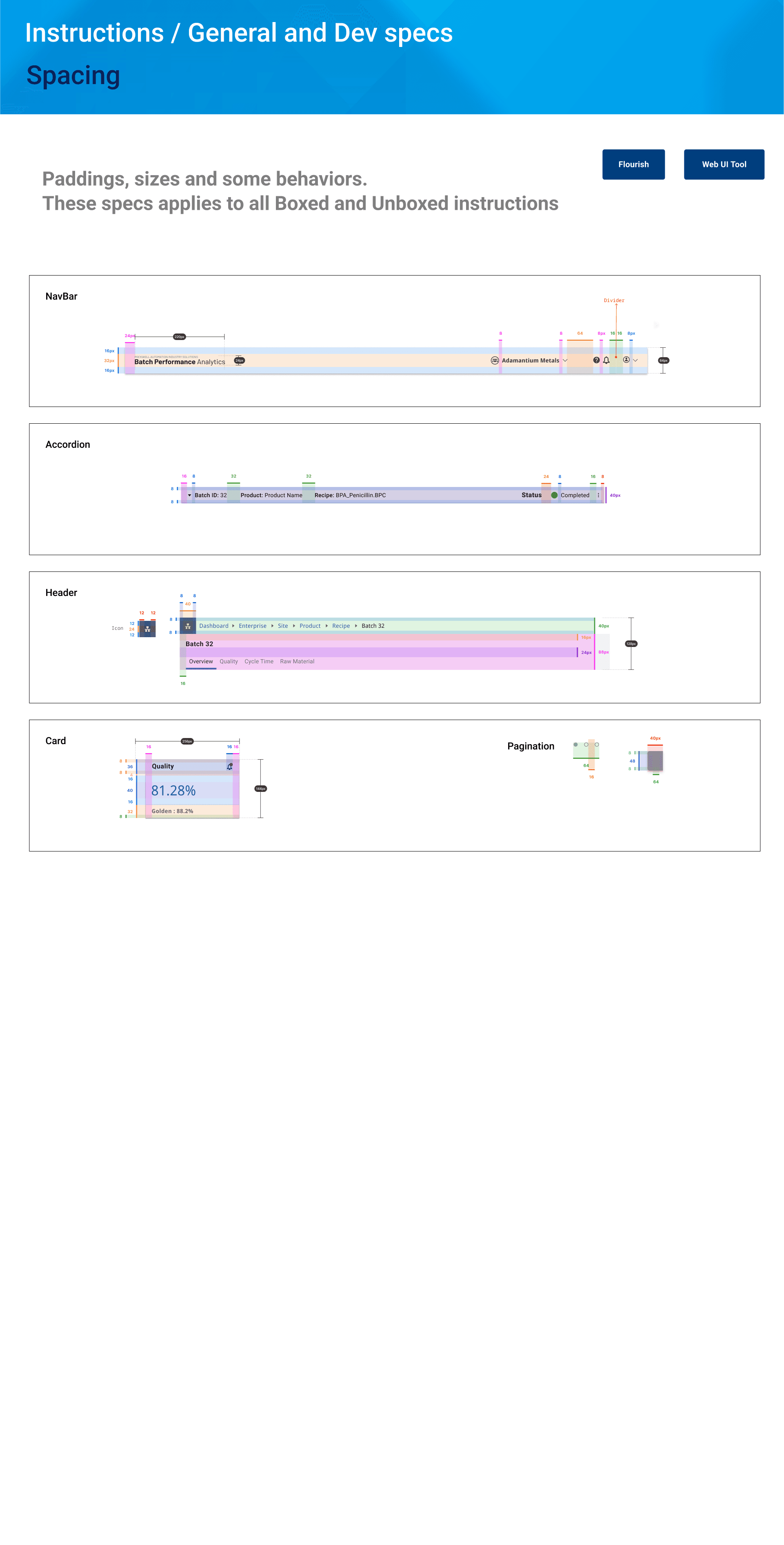
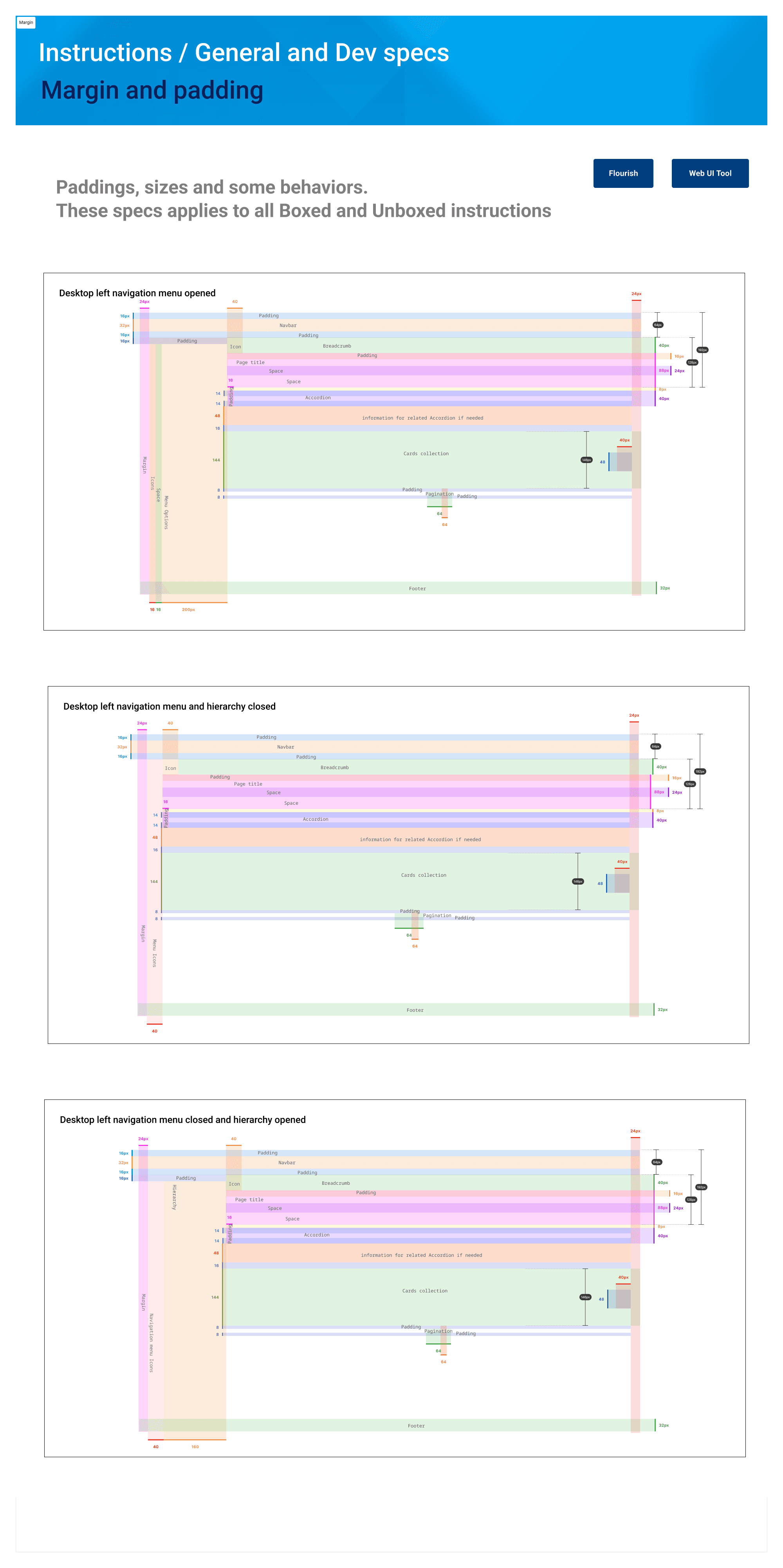
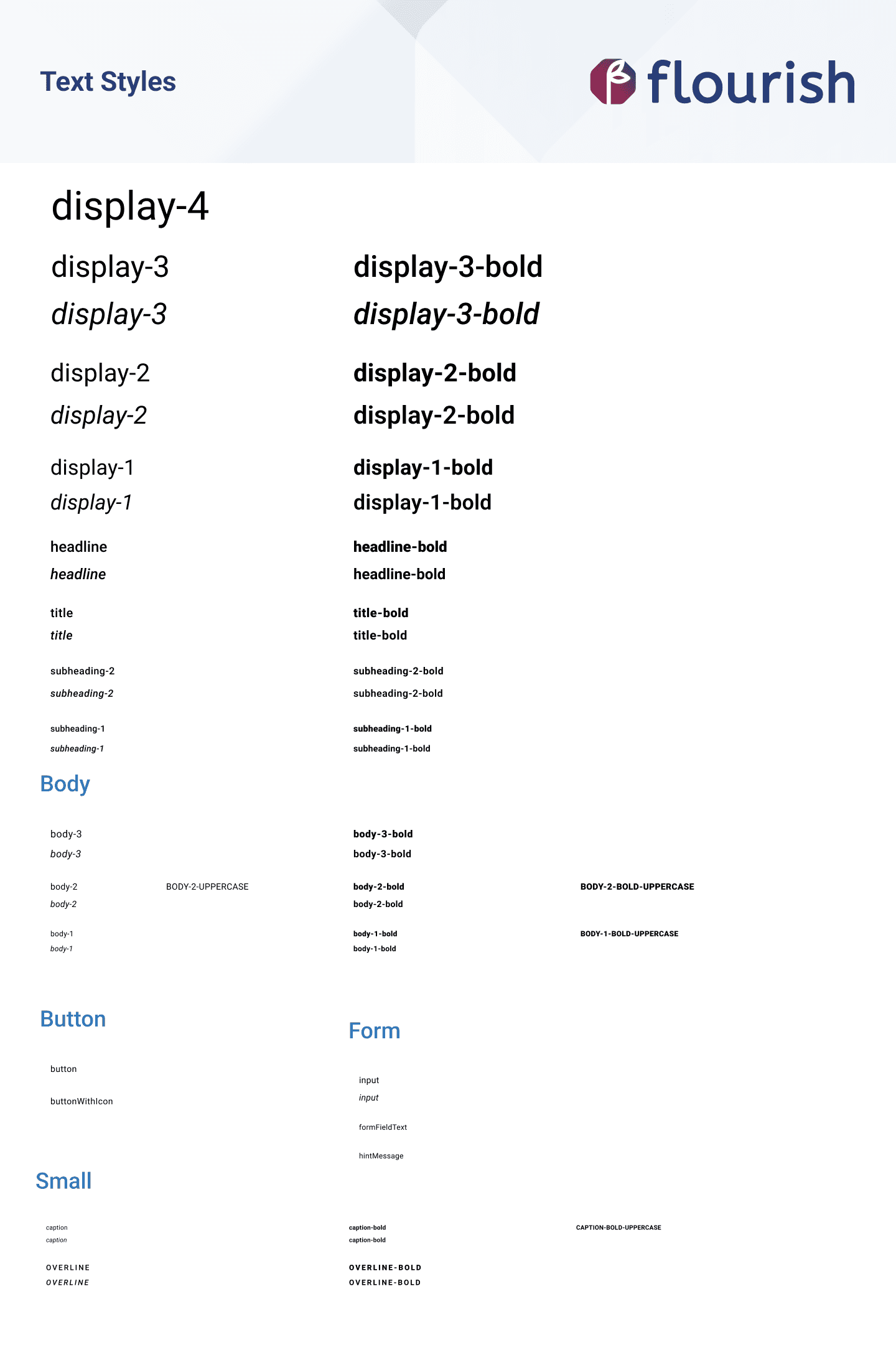
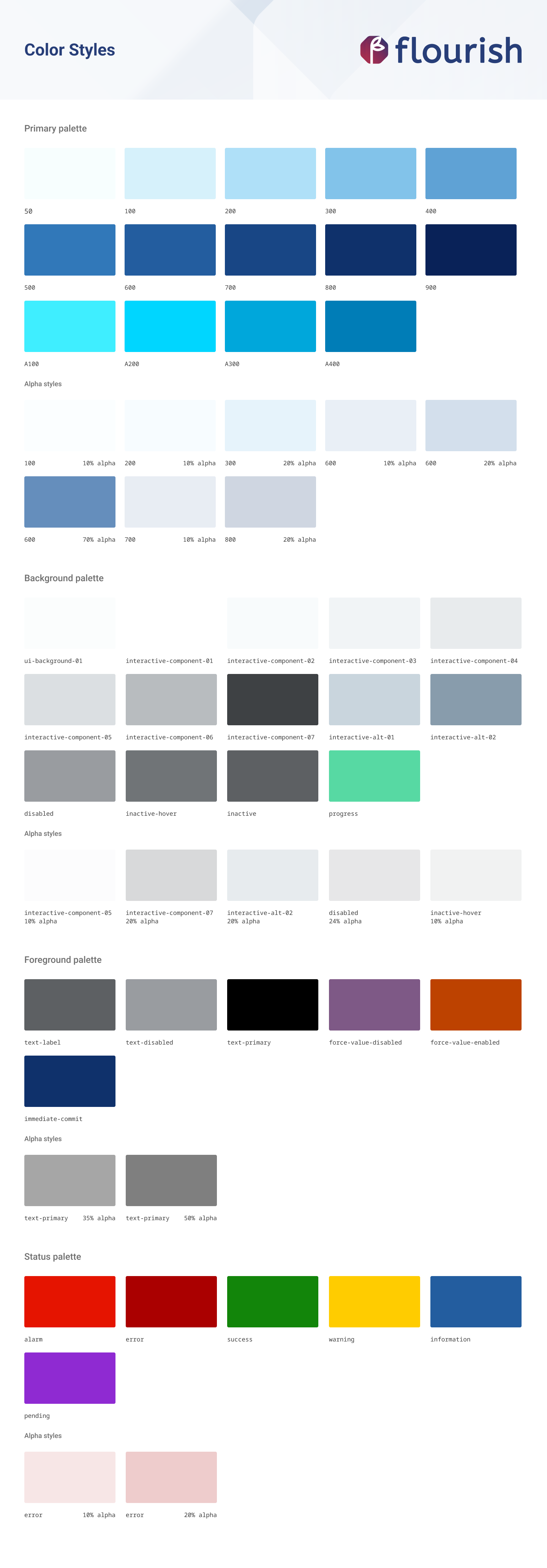
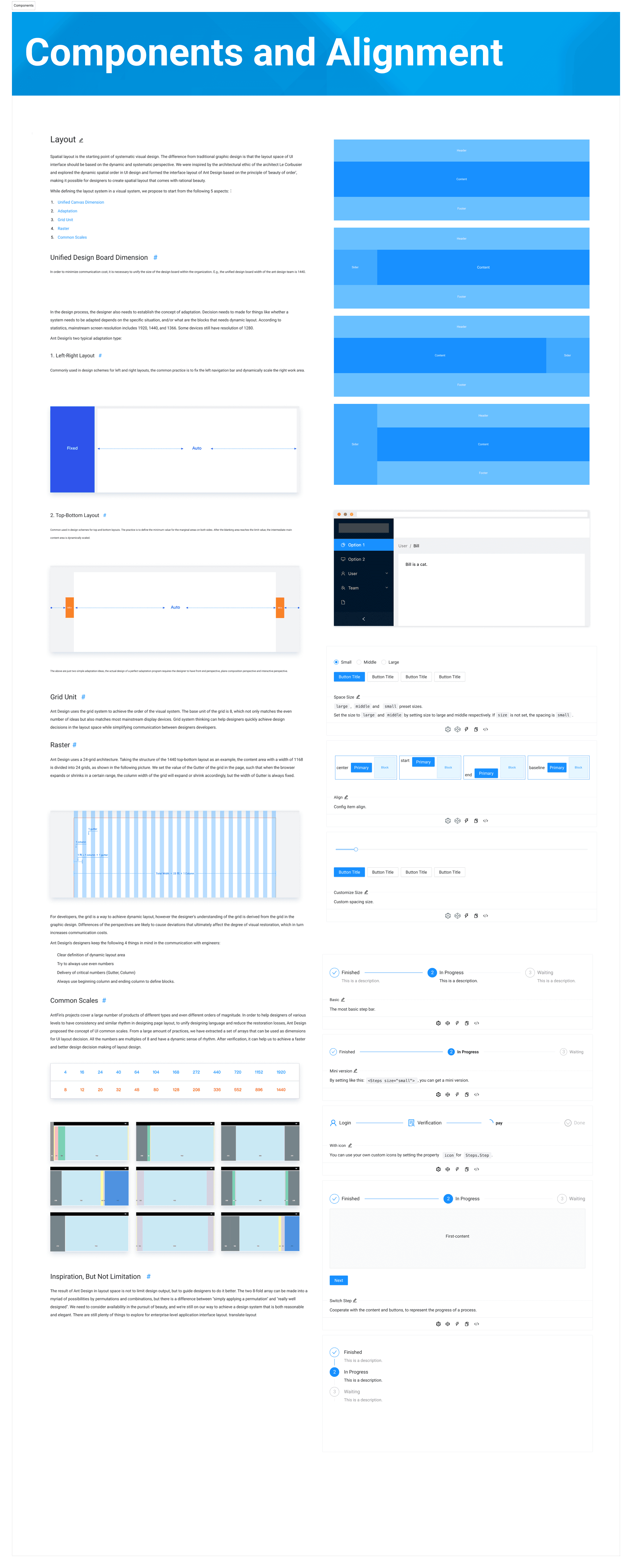
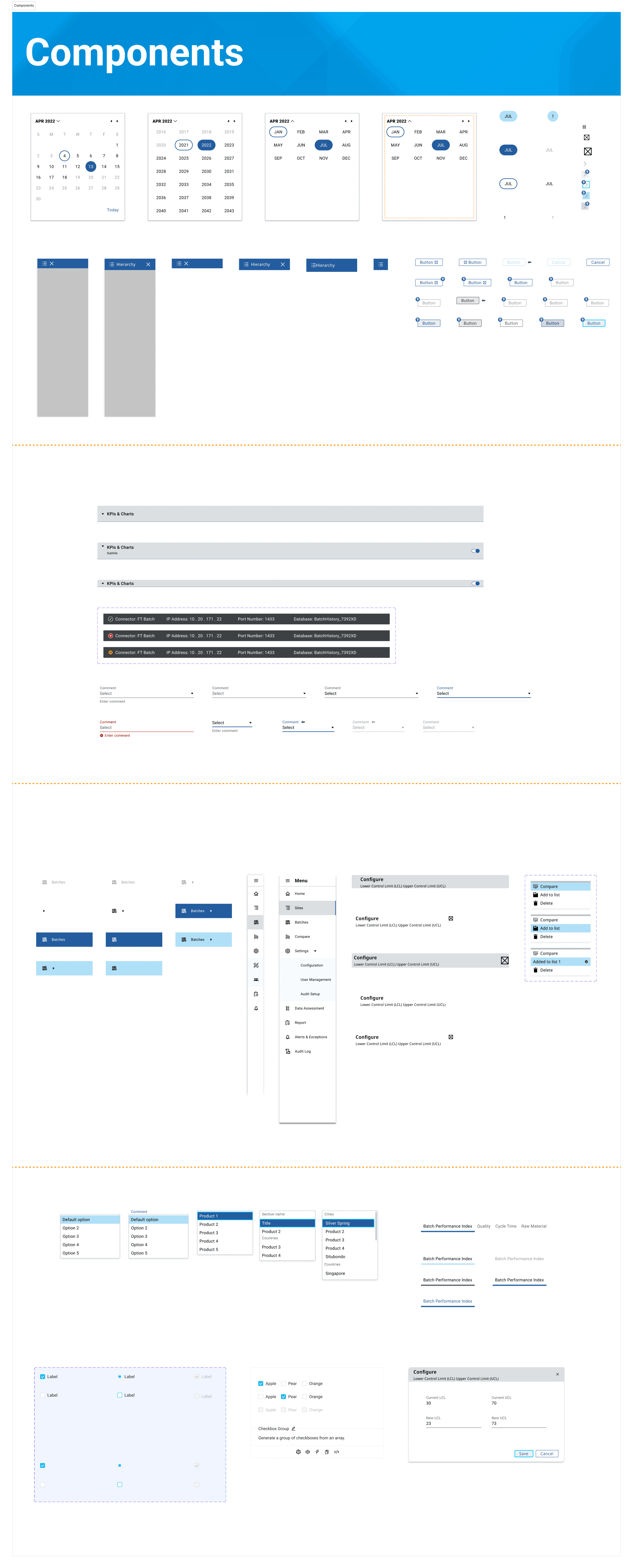
One of my responsibilities in this phase was to help the team design UI components for industry applications that could be used across all industry apps. As a UI designer, I first needed to ensure we had a consistent system design. I started by studying Flourish (Rockwell's System Design) to understand the existing design framework.
I designed reusable UI components for the BPA app, which were later used for other applications.
Results
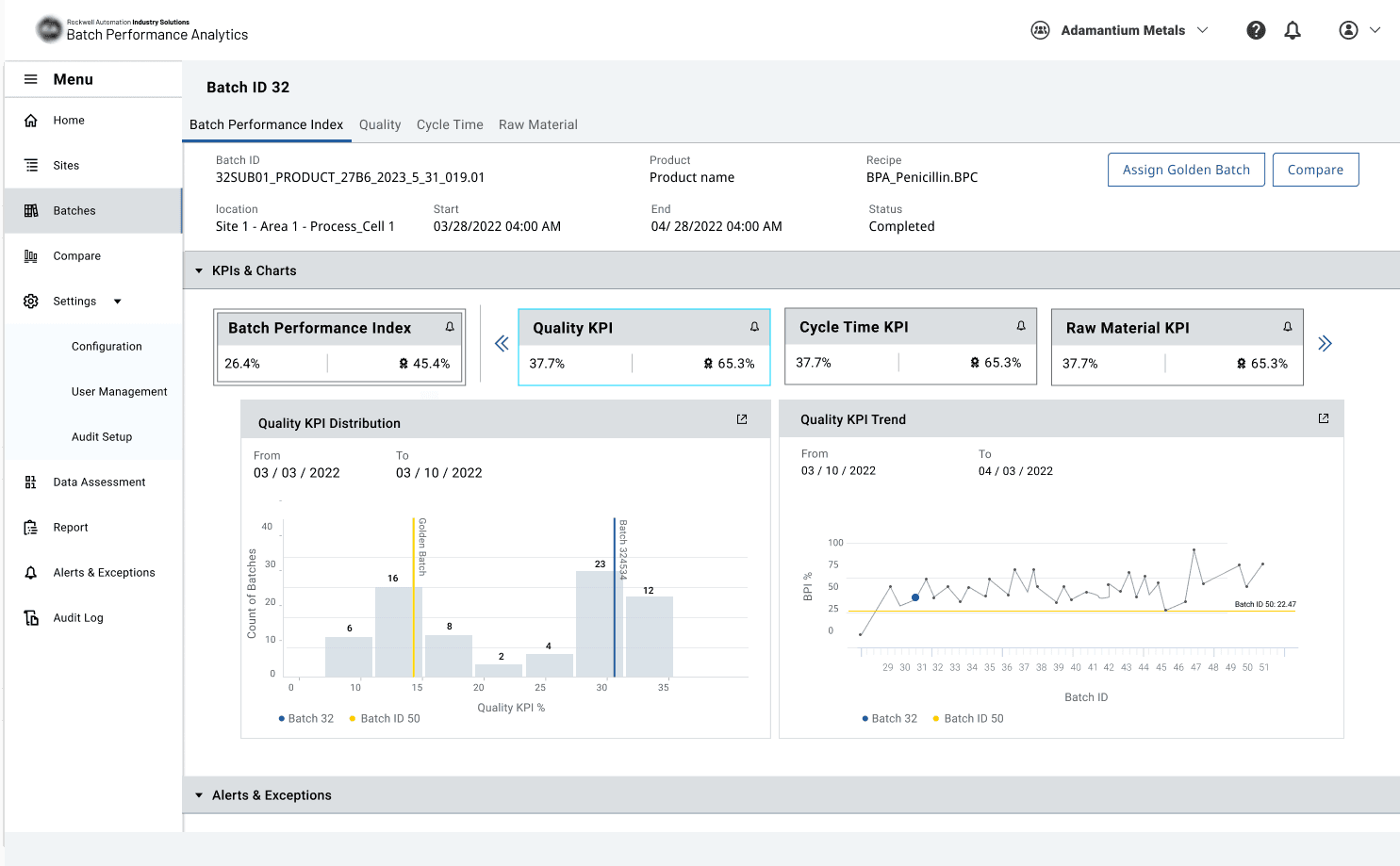
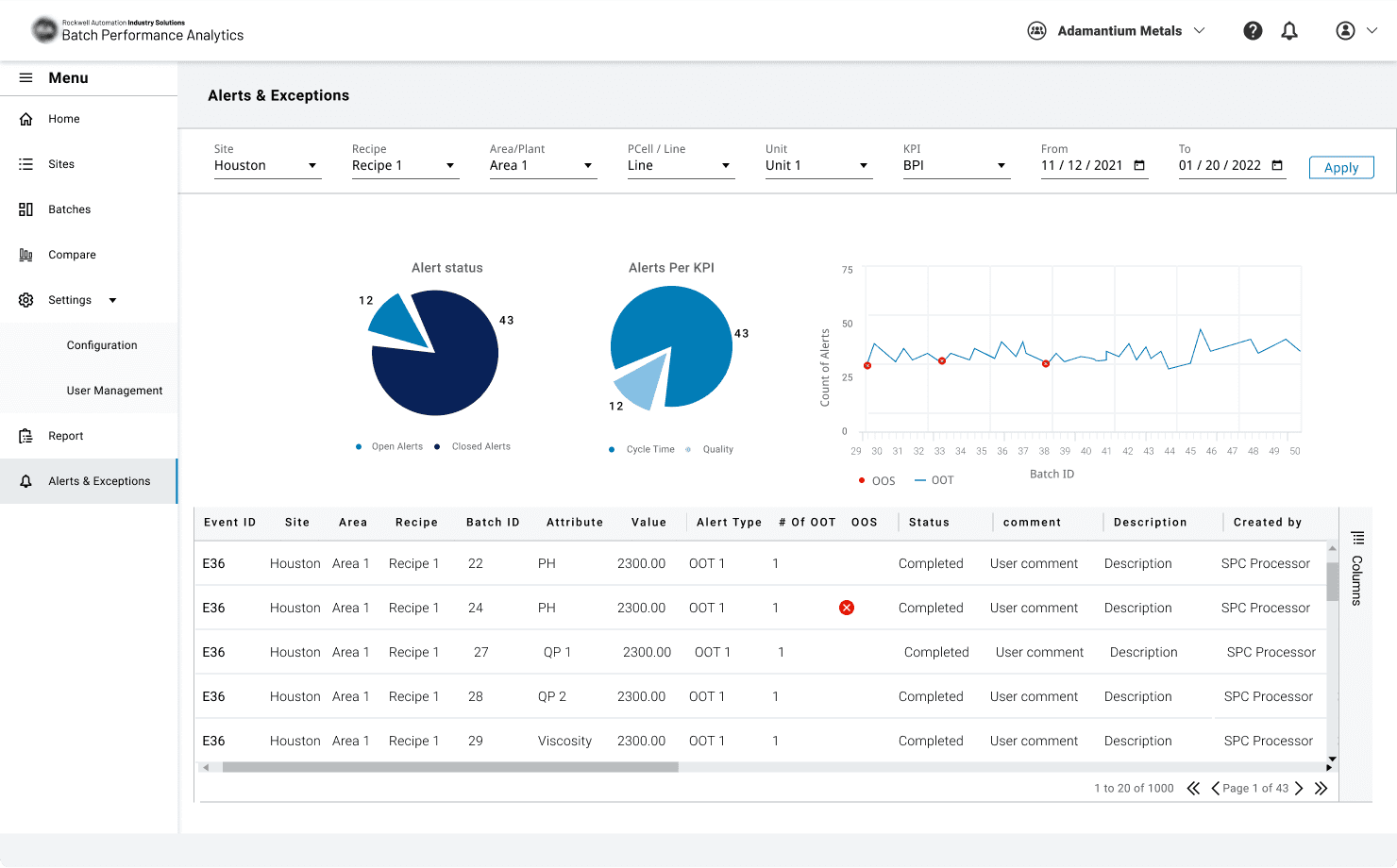
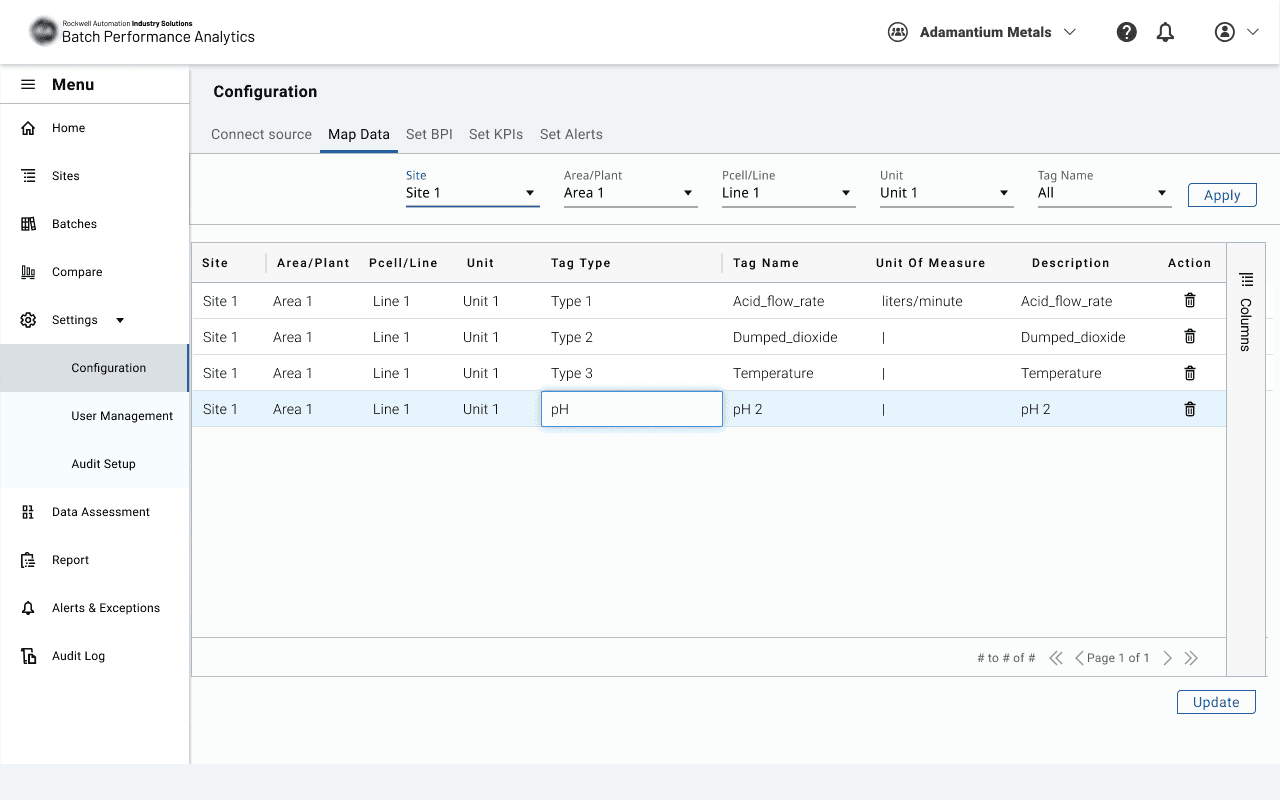
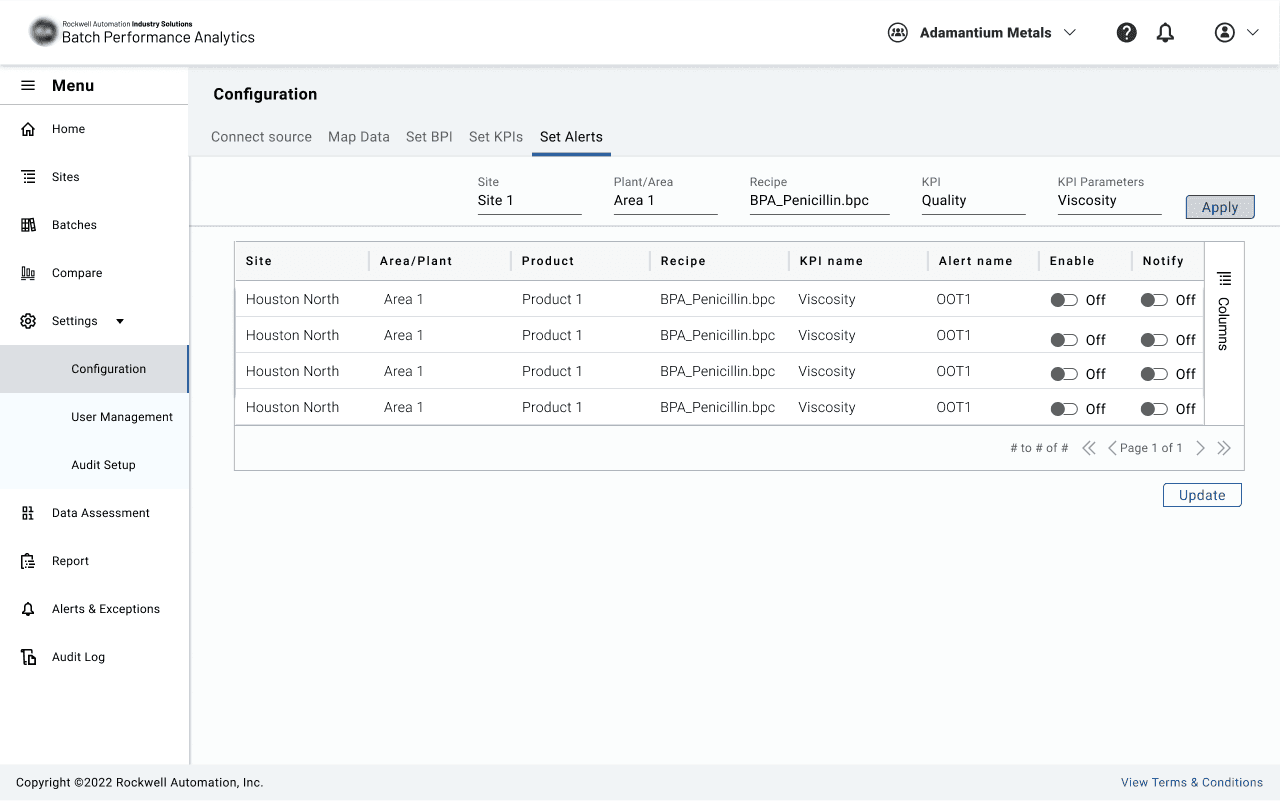
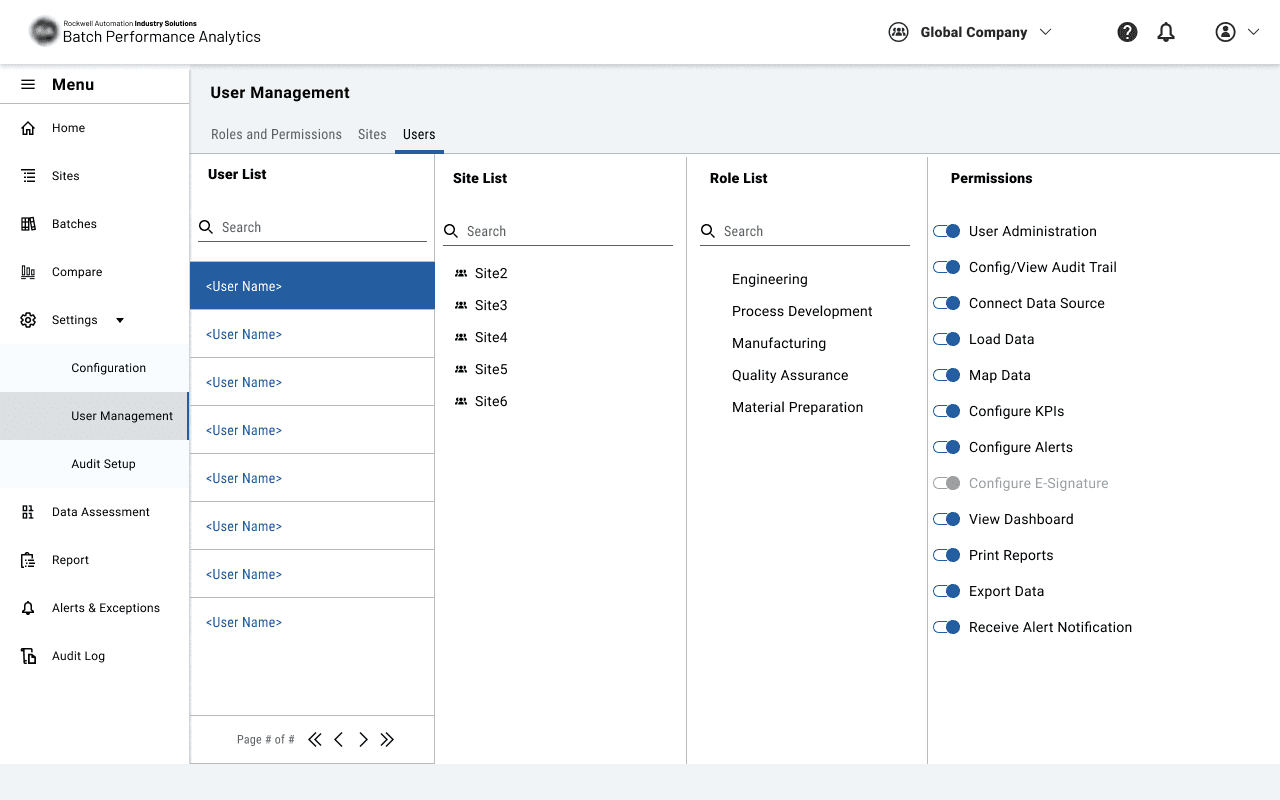
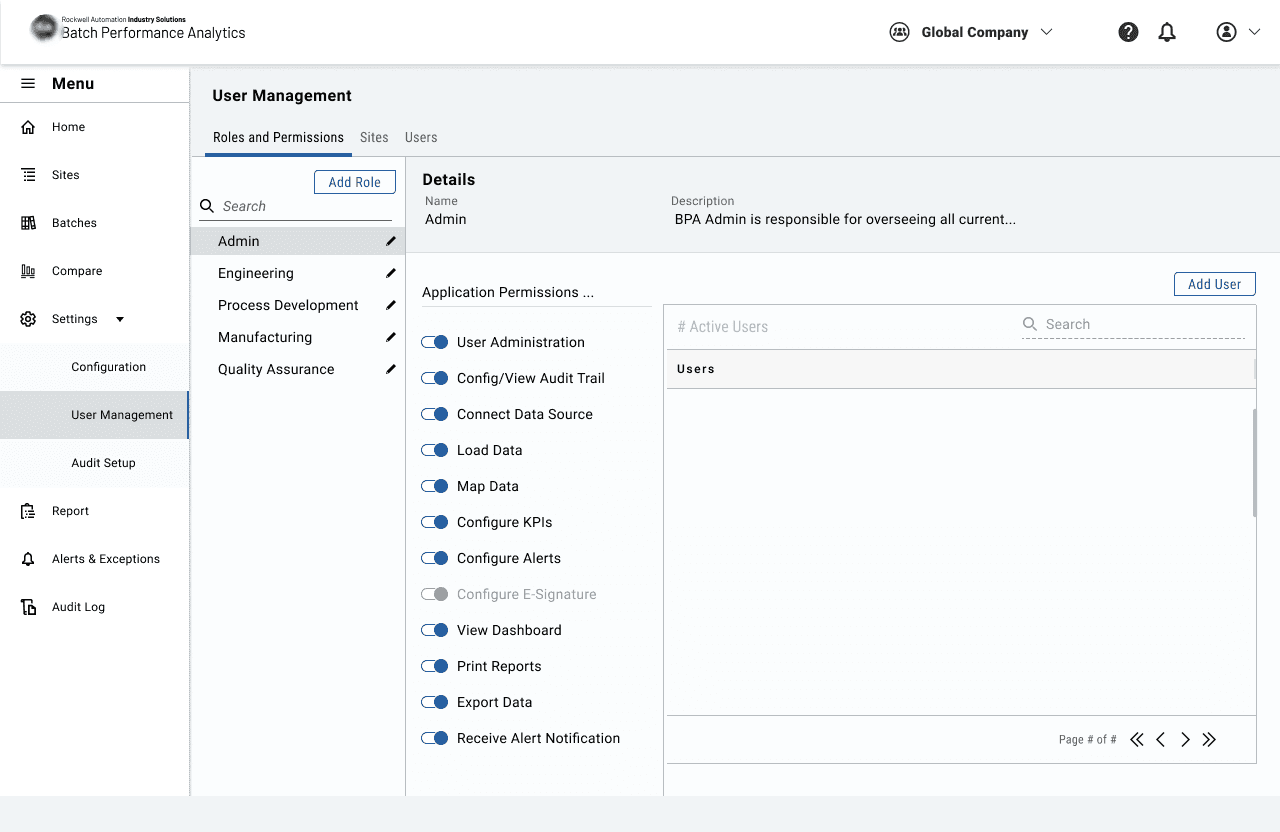
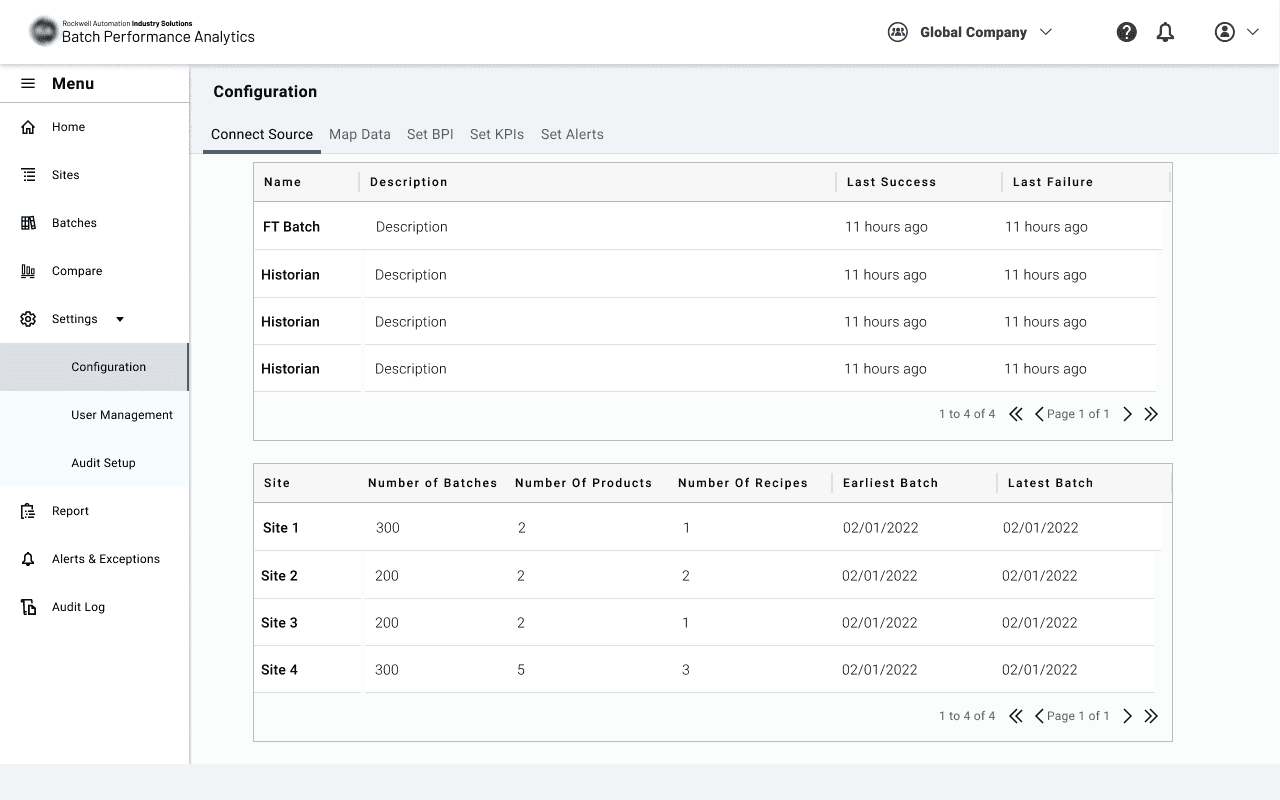
The information architecture for the new design changed significantly. We conducted multiple usability tests to ensure the final design is easy to navigate for users. In the end, we redesigned the entire App, and customers were very happy with the improvements.
After
Before
Design
Design
Crafting the Solution
Crafting the Solution
During the design phase of the Batch Performance Analysis application, I analyzed existing user interviews in Dovetail to identify two critical user needs and one interface inconsistency for easy access to each part:
An enterprise dashboard for monitoring batches, KPIs, and alarms. (Home Map Page)
More intuitive navigation system.
Designing a comparison view.
Using these insights, I developed a comprehensive information architecture that addressed all requirements while simplifying user workflows. I presented my designs in collaborative team workshops with the Rockwell team, where we refined the solutions together to ensure alignment with both business objectives and user needs.
The new design for BPA underwent extensive testing and feedback from different business areas. Here are key takeaways from one test that focused on the usability of the home page and navigation.
The primary goal was to understand how users can access all the menus and navigate to the direct sections and pages.
Since we have two levels of navigation, one for the application and a second layer for site access, I created a prototype in Figma, which three participants used to achieve the following testing goals:
Testing Design
1
Test whether users can easily access the new navigation menu and navbar.
2
Identify any existing ‘stuck’ points
3
Evaluate the overall user experience and ease of accessing various sections of the app.
4
Measure user’s ability to navigation menu like ‘comparison’ and ‘event and alarms’
3
Evaluate the overall user experience and ease of accessing various sections of the app.
4
Measure user’s ability to navigation menu like ‘comparison’ and ‘event and alarms’
These tests helped us refine the design and ensure it meets user needs effectively.
UI Design Guidelines
One of my responsibilities in this phase was to help the team design UI components for industry applications that could be used across all industry apps. As a UI designer, I first needed to ensure we had a consistent system design. I started by studying Flourish (Rockwell's System Design) to understand the existing design framework.
I designed reusable UI components for the BPA app, which were later used for other applications.
Results
The information architecture for the new design changed significantly. We conducted multiple usability tests to ensure the final design is easy to navigate for users. In the end, we redesigned the entire App, and customers were very happy with the improvements.
After
Before
Lessons and More
Lessons and More
key lessons and what I learned:
key lessons and what I learned:
Prioritizing user needs and feedback is crucial for creating effective and intuitive interfaces. Analyzing user interviews helped me identify critical pain points and needs, which guided the design process.
Prioritizing user needs and feedback is crucial for creating effective and intuitive interfaces. Analyzing user interviews helped me identify critical pain points and needs, which guided the design process.
Continuous testing and incorporating feedback at various stages of the design process led to significant improvements in usability and functionality.
Continuous testing and incorporating feedback at various stages of the design process led to significant improvements in usability and functionality.
key lessons and what I learned:
Prioritizing user needs and feedback is crucial for creating effective and intuitive interfaces. Analyzing user interviews helped me identify critical pain points and needs, which guided the design process.
Continuous testing and incorporating feedback at various stages of the design process led to significant improvements in usability and functionality.
Checkout My Other Projects
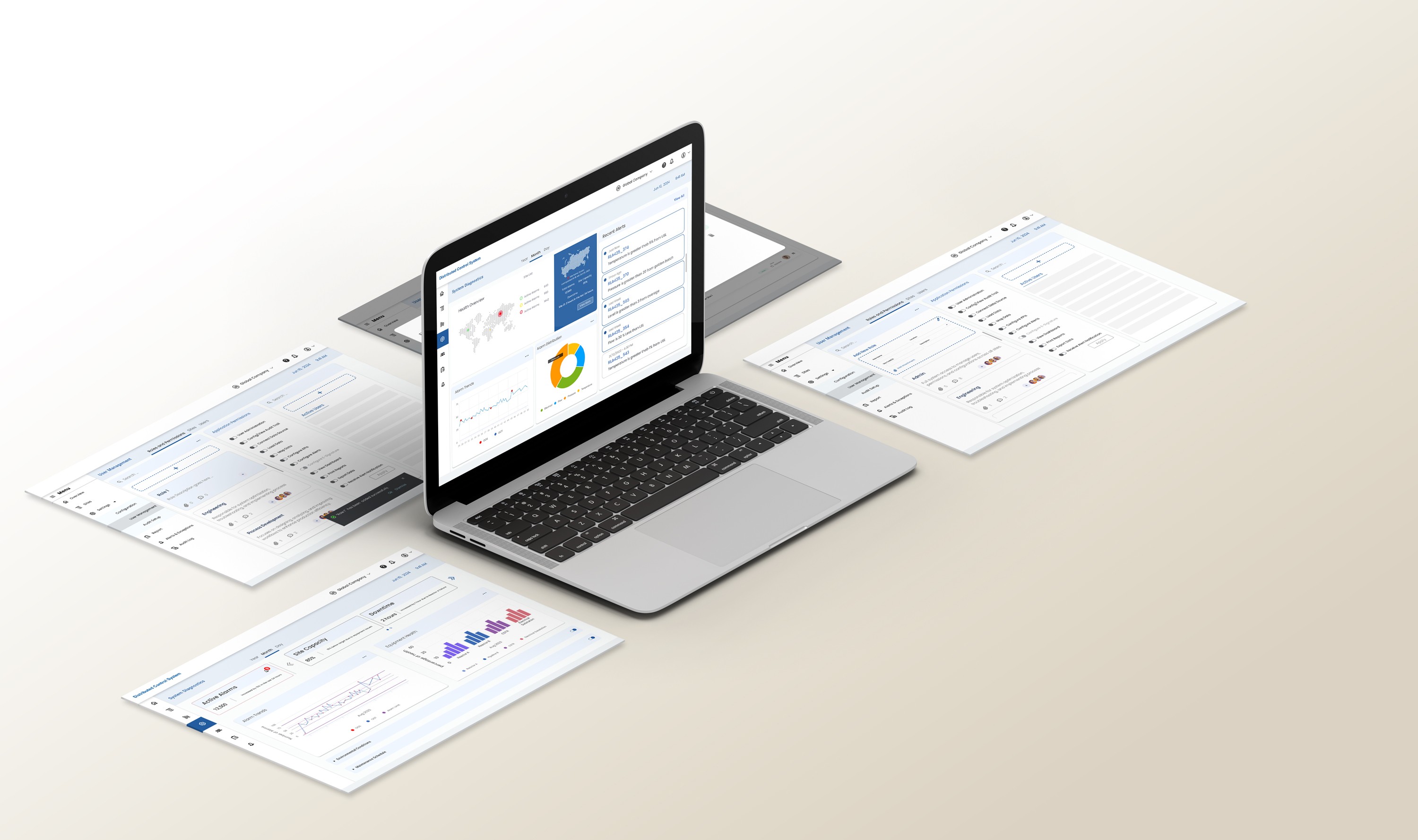
PlantPAx Distributed control system
This project focuses on the design process for system diagnostics health through a data-driven dashboard.
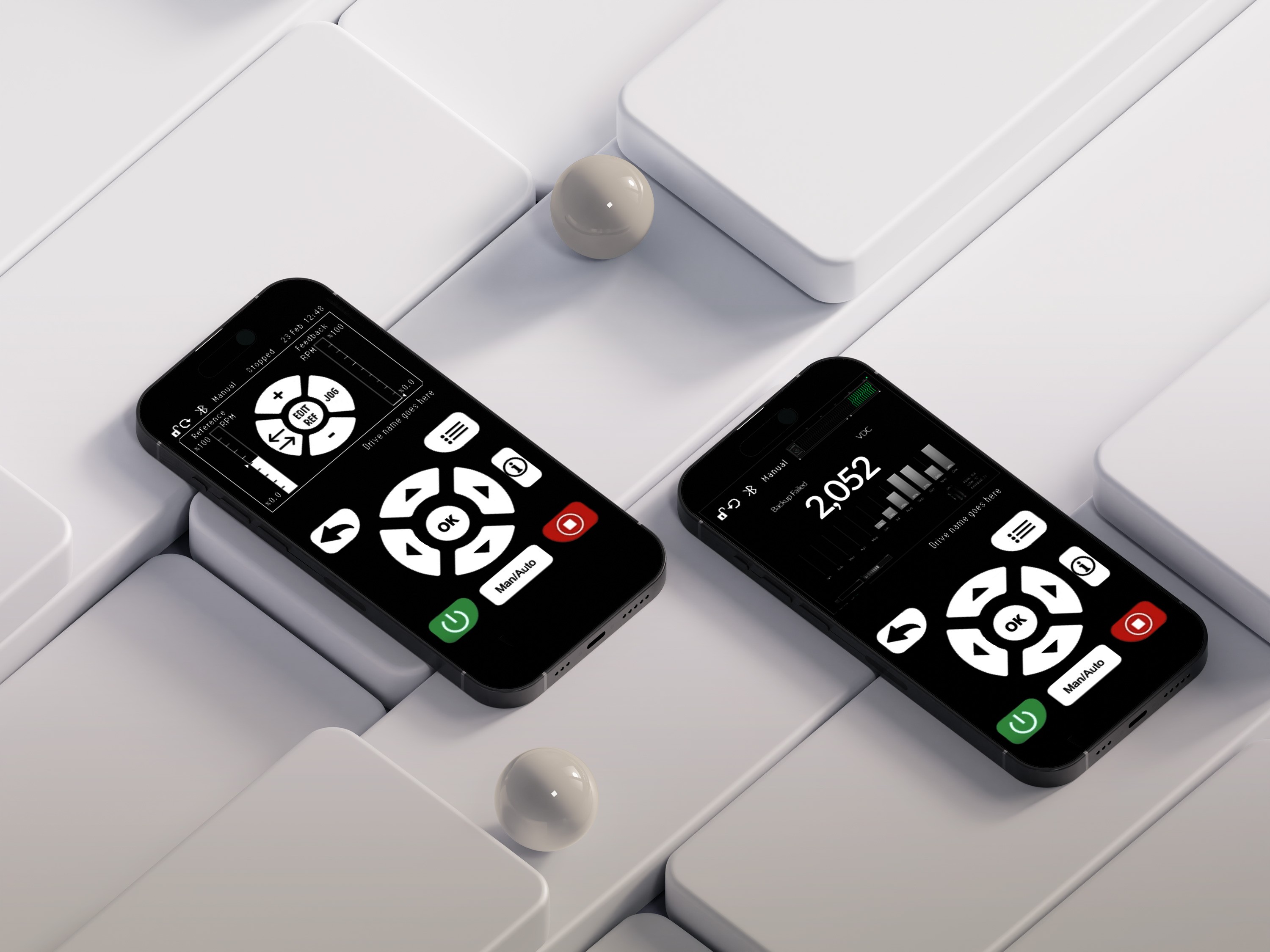
Human Interface for Control Systems
This project features an intuitive design for low voltage control systems that enhances user experience and operational efficiency in industrial settings.