PlantPAx System Diagnostics

Role
Role
Product Designer
Timeline
October 2023 – March 2024
The Challenge
Increased downtime risk
Longer troubleshooting cycles
Reduced operator efficiency
Limited visibility into system status
Understanding the System
Before designing solutions, I needed to understand the complex ecosystem behind PlantPAx. The experience spanned PlantPAx, FactoryTalk Diagnostics, FactoryTalk Alarms & Events, controllers, and process equipment.

Key observation
Research & Discovery
I collaborated with product managers, engineers, and domain experts to understand current workflows and pain points. Four insights shaped the direction.
Insight 1
Operators lacked a centralized view of system health.
Insight 2
Users frequently switched between multiple tools to investigate issues.
Insight 3
Critical diagnostic information was difficult to discover.
Insight 4
Alarm context was often separated from diagnostic context.
Design Principles
Centralize Information
Bring critical diagnostics into one workspace.
Prioritize Actionability
Help users understand what requires attention.
Reduce Cognitive Load
Surface relevant information while hiding complexity.
Support Fast Investigation
Enable quick access to root cause information.
From Insights to Design Decisions
Problem: Users switch between multiple tools. Decision: Create a centralized diagnostics dashboard. Tradeoff: More information increases screen density. Solution: Progressive disclosure and contextual drill-downs.
Problem: Users struggle to prioritize issues. Decision: Surface health status and severity indicators. Result: Faster identification of critical events.
Problem: Diagnostic details are buried. Decision: Connect summary views to deeper investigation paths. Result: Operators can move from alert to root cause with fewer steps.
Solution
The dashboard provides a centralized view of system health, active issues, alarms, and diagnostics.
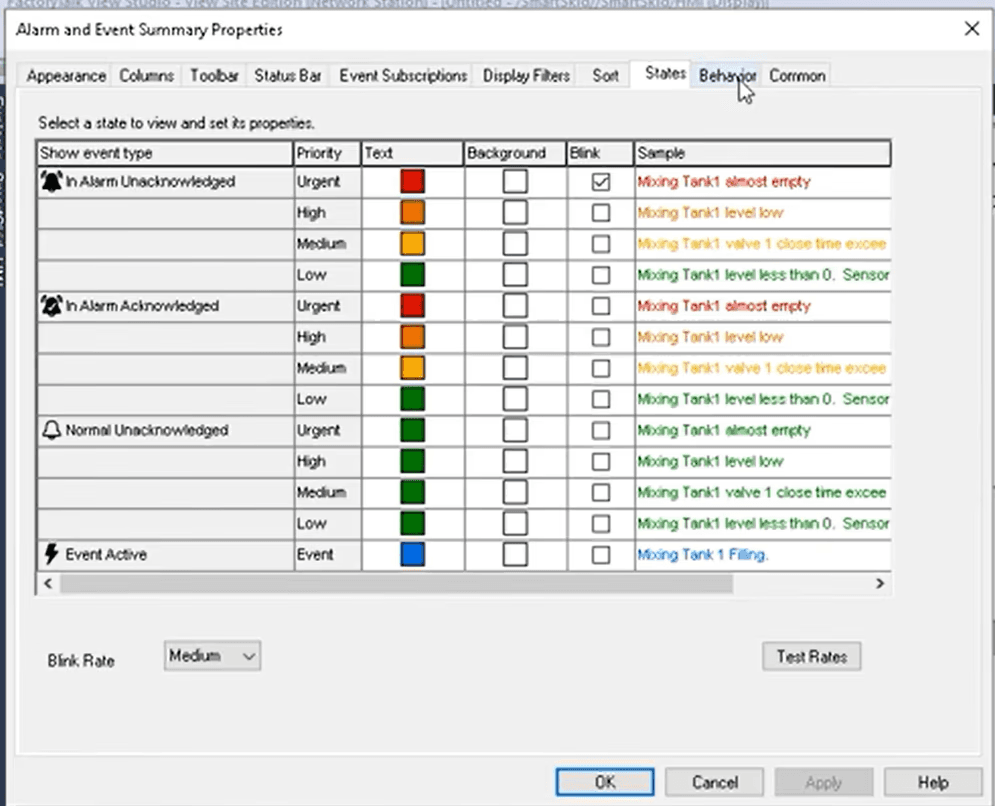
Unified diagnostics workspace
Prioritized issue visibility
Reduced navigation complexity
Faster access to diagnostic details
Key Workflow 1 — Monitoring System Health: help operators quickly understand status, active issues, and what needs attention first.
Key Workflow 2 — Investigating an Issue: move from issue summary to root-cause information without jumping between tools.
Key Workflow 3 — Understanding Alarm Context: connect alarm data with diagnostic context so operators can decide what to do next.
Outcome
Before
Multiple disconnected systems, limited visibility, high context switching, and slower investigation.
After
A centralized experience with clear system status, reduced navigation, and faster issue discovery.